Macro Calculator
Last updated: 27 August 2026
Research and drafting assisted by AI.
- The 'protein builds muscle' idea became mainstream only in the 1970s. Before that, most athletes believed carbohydrates were the key performance fuel.
- Fat was demonised in the 1980s based on flawed research funded partly by the sugar industry. The low-fat dietary guidelines may have contributed to the obesity epidemic.
- Protein has the highest 'thermic effect' of any macronutrient , your body burns 20–30% of protein calories just digesting it, vs 5–10% for carbs and 0–3% for fat.
Macro Calculator
A macro calculator works out your daily targets for protein, carbohydrates, and fat based on your body stats and fitness goals. It is used by people tracking their diet for weight loss, muscle gain, or athletic performance.
How to Use the Macro Calculator
- Enter your age, sex, height, and weight.
- Select your activity level, from sedentary to very active.
- Choose your goal: lose weight, maintain weight, or build muscle.
- Click Calculate to see your daily calorie target and macro breakdown in grams.
- Use the percentages to adjust if you follow a specific diet style such as low-carb or high-protein.
The Formula
The calculator first estimates your Total Daily Energy Expenditure (TDEE) by multiplying your Basal Metabolic Rate (BMR) by an activity multiplier. It then adjusts calories up or down based on your goal (typically minus 500 kcal for weight loss or plus 250 to 500 kcal for muscle gain). Macros are then split from total calories: protein and carbohydrates each provide 4 kcal per gram, fat provides 9 kcal per gram. A common starting split is 30 percent protein, 40 percent carbohydrate, and 30 percent fat.
Real-World Example
A 30-year-old woman, 165 cm, 68 kg, moderately active, wants to lose weight. Her BMR is approximately 1,490 kcal. With a moderate activity multiplier of 1.55, her TDEE is 2,310 kcal. A 500 kcal deficit brings her target to 1,810 kcal per day. At a 30/40/30 split: protein = 1,810 times 0.30 divided by 4 = 136 g; carbohydrate = 1,810 times 0.40 divided by 4 = 181 g; fat = 1,810 times 0.30 divided by 9 = 60 g.
Adjusting Macros for Your Goal
For muscle gain, prioritise protein at 1.6 to 2.2 g per kg of body weight and keep carbohydrates high to fuel training. For fat loss, keep protein high (at least 1.6 g/kg) to preserve muscle, and reduce carbohydrates or fat depending on preference. For endurance sports, carbohydrates typically make up 50 to 60 percent of calories to sustain glycogen stores. These are starting points; adjust based on how your body responds over two to four weeks.
Reference Table: Macro grams at a 40/30/30 split
Protein, carbohydrate and fat in grams for three daily calorie targets, using a 40/30/30 split. Protein and carbohydrate hold 4 calories a gram, fat holds 9. At 2,200 calories the split gives 220 g of protein, 165 g of carbohydrate and 73 g of fat.
| Goal | Calories | Protein | Carbohydrate | Fat |
|---|---|---|---|---|
| Weight loss | 1800 | 180 g | 135 g | 60 g |
| Moderate | 2200 | 220 g | 165 g | 73 g |
| Active | 2600 | 260 g | 195 g | 87 g |
Worked Example on Screen
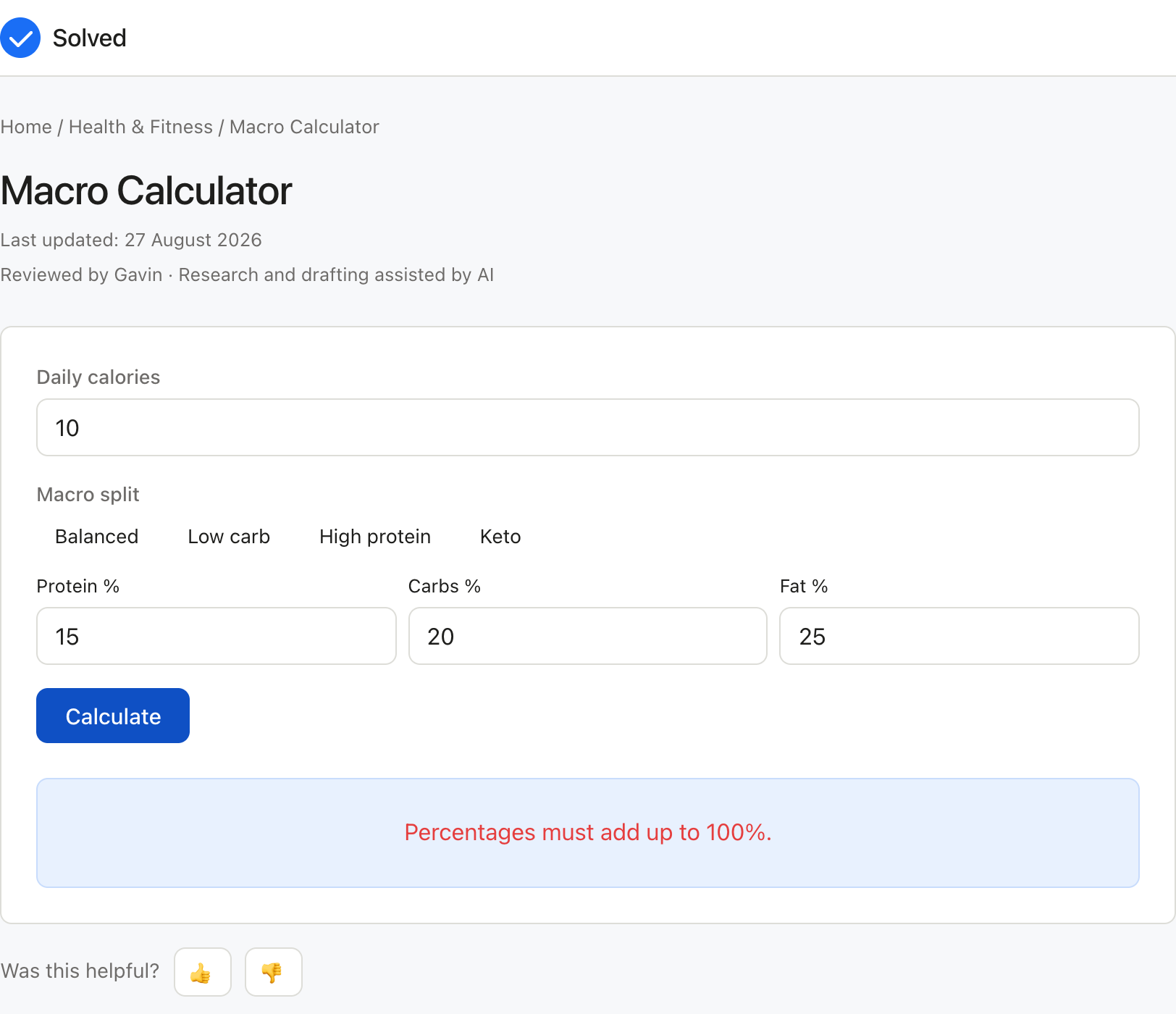
The capture below shows Macro Calculator after the inputs were entered, with the result on screen. Enter the same values to reproduce it.
Captured from solved.tools on 10 September 2026.
Frequently Asked Questions
What are macros and why do they matter? Macros (macronutrients) are protein, carbohydrates, and fat, the three nutrients that provide all dietary calories. Tracking them lets you control how much you eat and the composition of your diet, which affects body composition, energy levels, and performance.
How much protein do I actually need? Research consistently supports 1.6 to 2.2 g of protein per kg of body weight for people training regularly. Sedentary adults need less, around 0.8 g/kg, but higher intakes support muscle retention during weight loss.
Do I need to hit my macros exactly every day? Exact daily precision is less important than hitting your targets consistently over a week. Flexible tracking, where you aim to be within 5 to 10 g of each macro, is sustainable and produces good results for most people.
Should I adjust my macros on rest days? Many people use carbohydrate cycling, eating more carbs on training days and fewer on rest days. While this can be effective, keeping macros consistent is simpler and works well for most goals.
Common Inputs and How to Choose Them
Most Macro Calculator problems revolve around a small set of inputs.
your age, sex, height, and weight is usually the first value to pin down for the Macro Calculator.
your activity level, from sedentary to very active sets the context the Macro Calculator needs for a sensible result.
your goal: lose weight, maintain weight, or build muscle refines the Macro Calculator output where the data is available. Identifying the right values is the most important step for the Macro Calculator, because the answer is only as accurate as the data you put in. If a value is unknown, prefer a conservative estimate over a guess when using the Macro Calculator.## How to Interpret the Result The numerical answer from the Macro Calculator alone is rarely the whole story. Read the units, the precision, and any warnings shown alongside the Macro Calculator result. Understanding the path from inputs to output in the Macro Calculator makes it easier to spot errors, communicate the result to others, and reuse the method for related problems in the future.## Worked Examples A typical Macro Calculator run takes reasonable inputs, produces a sensible answer, and returns it in a single click. Example: A 30-year-old woman, 165 cm, 68 kg, moderately active, wants to lose weight. Her BMR is approximately 1,490 kcal. With a moderate activity multiplier of 1.55, her TDEE is 2,310 kcal. A 500 kcal deficit brings her target to 1,810 kcal per day. At a 30/40/30 split: protein = 1,810 times 0.30 divided by 4 = 136 g; carbohydrate = 1,810 times 0.40 divided by 4 = 181 g; fat = 1,810 times 0.30 divided by## Common Mistakes to Avoid Common mistakes with the Macro Calculator:
Mixing up units (for example, entering one unit when the Macro Calculator expects another).
Forgetting to convert percentages to decimals or vice versa where the Macro Calculator formula requires it.
Using a snapshot value that no longer reflects reality for the Macro Calculator, especially for time-sensitive inputs like prices, rates, or counts.
Rounding intermediate steps too early and then carrying the rounded value forward in the Macro Calculator.
Treating the Macro Calculator as a substitute for professional advice when the decision is high-stakes.## Limitations and Assumptions No calculator is a perfect model of reality, and the Macro Calculator is no exception. The Macro Calculator makes simplifying assumptions to keep the math tractable: it ignores rare cases, applies default values where inputs are missing, and uses formulas that suit the typical situation rather than the exotic one. When your situation falls outside the typical case, the Macro Calculator result may drift further from the truth. If you need a more precise answer than the Macro Calculator provides, the next step is usually a specialist, a more detailed reference, or a domain-specific tool.## Related Tools and References For more depth on the Macro Calculator topic, consult textbooks, academic papers, or reputable online resources. Reputable sources for the Macro Calculator include government statistics agencies, university extension services, and peer-reviewed journals. Wikipedia is a useful starting point for definitions and formulas behind the Macro Calculator, but always follow the citations to the original source before relying on a number. If you find that you need the same Macro Calculator calculation repeatedly, consider writing down the inputs and the result in a note so you can build a personal record over time.## Quick Reference
Free to use: yes, no sign-up required.
Privacy: all calculations run locally in your browser.
Units: metric and imperial supported where applicable; check the input labels.
Speed: instant, no page reload.
Mobile friendly: yes, works on phones and tablets.
Offline: once the page has loaded, the calculation continues to work without a network connection.## References
Wolfram MathWorld. https://mathworld.wolfram.com/