QR Code Generator
Last updated: 27 June 2026
Research and drafting assisted by AI.
- QR codes were invented by Denso Wave, a Toyota subsidiary, in 1994 to track car parts in manufacturing. The design team specifically made the patent open to encourage adoption.
- A QR code can store up to 4,296 ASCII characters, 7,089 digits, or 2,953 bytes of binary data. The small squares in the corners are 'finder patterns' used for alignment.
- QR code usage exploded during COVID-19 when restaurants replaced physical menus with contactless QR links. Daily scans increased 94% between 2018 and 2020.
QR Code Generator
A QR code generator converts text, URLs, contact details, or any data into a scannable two-dimensional barcode. It is used by businesses, marketers, event organisers, and developers to share links, product information, Wi-Fi credentials, and payment details instantly via smartphone camera.
How to Use the QR Code Generator
- Select the data type: URL, plain text, email, phone number, Wi-Fi credentials, or vCard.
- Enter the data you want to encode in the input field.
- Choose an error correction level (L, M, Q, or H) based on how much damage or obscuration the code might face.
- Optionally set the size and colours to match your branding.
- Download the QR code as a PNG or SVG and embed it in print materials, websites, or digital displays.
The Formula
QR codes follow the ISO/IEC 18004 standard. The encoding process involves several steps:
- Data analysis: the encoder determines the most efficient encoding mode for the input. Modes include Numeric (digits only), Alphanumeric (digits + uppercase letters + a few symbols), Byte (any UTF-8 data), and Kanji (Japanese characters).
- Data encoding: the input is converted into a binary string using the selected mode.
- Error correction: Reed-Solomon error correction codes are added. The four levels are:
- L (Low): recovers up to 7% of damaged data.
- M (Medium): recovers up to 15% of damaged data.
- Q (Quartile): recovers up to 25% of damaged data.
- H (High): recovers up to 30% of damaged data.
- Structure: the binary stream is placed into a grid of modules (black and white squares), surrounded by finder patterns, timing patterns, and alignment patterns that help scanners orient and decode the code.
- Masking: one of eight mask patterns is applied to balance dark and light modules and improve scan reliability.
Version (size) ranges from 1 (21x21 modules) to 40 (177x177 modules), with higher versions accommodating more data.
Real-World Example
You want to create a QR code for your restaurant menu URL: https://myrestaurant.co.uk/menu
Settings chosen:
- Data type: URL
- Input:
https://myrestaurant.co.uk/menu - Error correction: M (recommended for print where slight wear is expected)
- Size: 300 x 300 pixels
The generator analyses the URL as Byte mode (because it contains mixed-case and special characters like ://), encodes it with 15% error correction, applies a Version 3 grid (29x29 modules), and outputs a PNG.
You print the QR code on table cards. Customers scan it with their phone camera and go directly to the menu page without typing the URL.
Best Practices for QR Code Design
Error correction level M or Q is recommended for most print use cases, as printed materials often suffer minor scuffs or colour inconsistencies. Level H is best when the QR code will be partially obscured by a logo overlay. Keep adequate quiet zone (white space margin) of at least four modules around the code. Test every QR code with at least two different scanner apps before printing. For marketing campaigns, use a URL shortener or redirect URL so you can update the destination without reprinting the code. Dark modules on a light background scan most reliably; avoid low-contrast colour combinations.
Reference Table: QR code capacity by version range
Capacity figures from the QR code specification (ISO/IEC 18004), at the lowest error-correction level. Higher correction levels reduce capacity: a version 40 symbol holds 2,953 bytes at level L and 1,273 bytes at level H. Version means the grid size, from 21 x 21 modules at version 1 to 177 x 177 at version 40.
| Version range | Grid size | Maximum capacity at level L |
|---|---|---|
| 1 to 10 | 25 x 25 | 17 numeric, 10 alphanumeric, 7 bytes |
| 11 to 20 | 57 x 57 | 114 numeric, 70 alphanumeric, 47 bytes |
| 21 to 30 | 85 x 85 | 487 numeric, 295 alphanumeric, 202 bytes |
| 31 to 40 | 177 x 177 | 7,089 numeric, 4,296 alphanumeric, 2,953 bytes |
Worked Example on Screen
The capture below shows QR Code Generator after the inputs were entered, with the result on screen. Enter the same values to reproduce it.
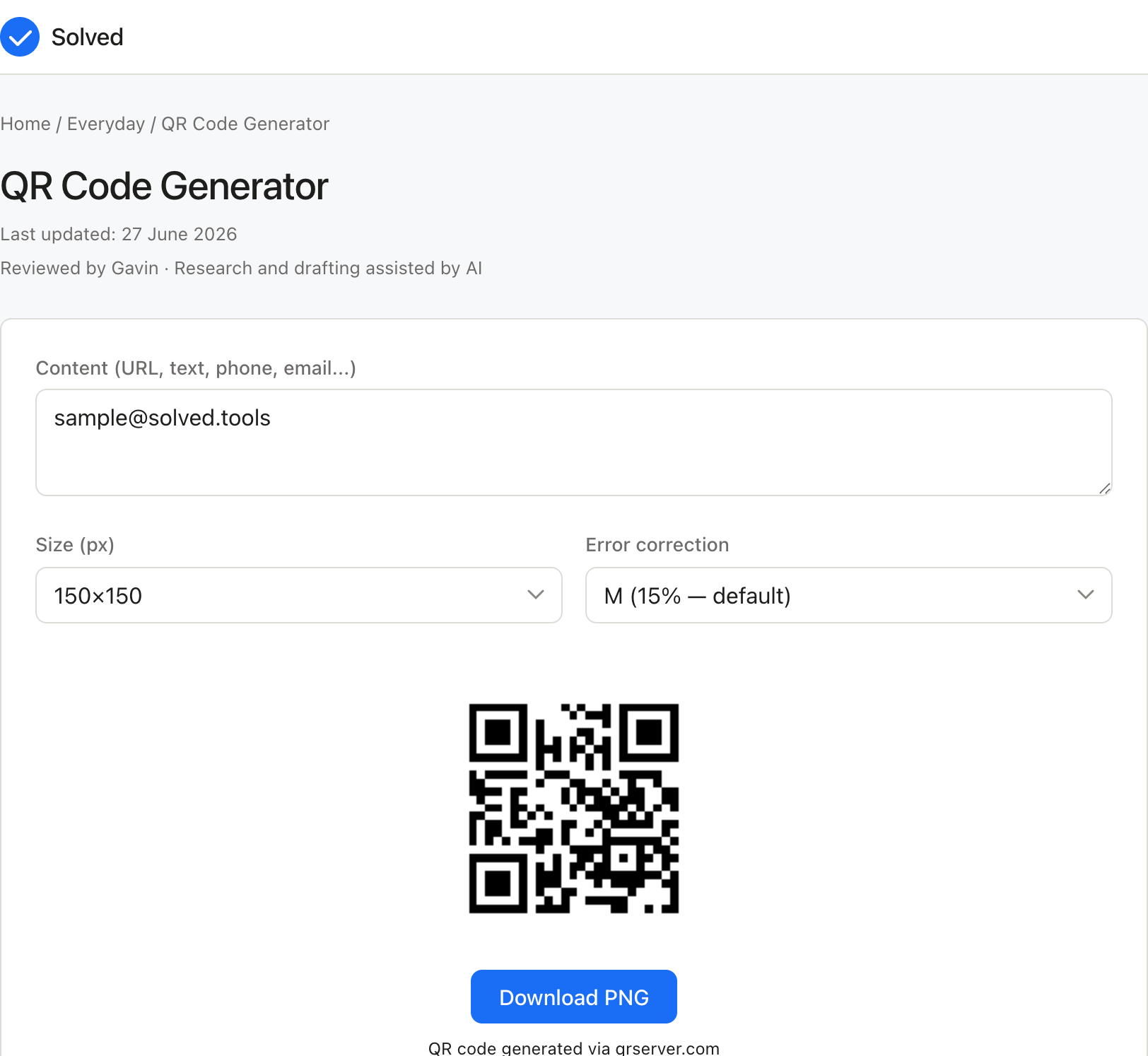
Captured from solved.tools on 10 September 2026.
Frequently Asked Questions
How much data can a QR code hold? A maximum-size QR code (Version 40) can hold up to 7,089 numeric characters, 4,296 alphanumeric characters, or 2,953 bytes of binary data. In practice, shorter data produces smaller, simpler codes that scan faster and more reliably. URLs longer than about 100 characters benefit from a URL shortener.
Do QR codes expire? Static QR codes do not expire. They permanently encode the data at generation time. If you use a dynamic QR code service, the destination URL is stored on the provider's server and can be changed or may expire based on the service plan. If the provider shuts down, dynamic codes stop working.
Can I add a logo to a QR code? Yes, but use error correction level H (30% recovery) when embedding a logo, as the logo covers part of the code. Keep the logo to less than 30% of the total QR code area. Always test that the final code scans correctly before use.
Why won't my QR code scan? Common causes include insufficient quiet zone (margin) around the code, too low a contrast between foreground and background colours, the code being too small for the scanning distance, or the data exceeding the capacity for the chosen version. Try regenerating at a larger size with higher contrast and error correction level M or H.
Choosing a version from the capacity table
Version numbers are not arbitrary. Each step up adds four modules to each side, so the grid grows quickly and capacity grows faster. The table gives five single versions at two error correction levels, taken from the capacity table in ISO/IEC 18004.
| Version | Grid | Level L numeric | Level L alphanumeric | Level L binary | Level M binary |
|---|---|---|---|---|---|
| 1 | 21 x 21 | 41 | 25 | 17 bytes | 14 bytes |
| 5 | 37 x 37 | 255 | 154 | 106 bytes | 84 bytes |
| 10 | 57 x 57 | 652 | 395 | 271 bytes | 213 bytes |
| 20 | 97 x 97 | 2,061 | 1,249 | 858 bytes | 666 bytes |
| 40 | 177 x 177 | 7,089 | 4,296 | 2,953 bytes | 2,331 bytes |
Most generators pick the smallest version that holds the data at the chosen correction level, which is what you want. A version 3 code is easier to scan at a small print size than a version 10 code carrying the same URL, because each module is physically larger.
How the encoding mode changes the size
The same characters take different amounts of space depending on the mode the encoder selects. Numeric mode packs three digits into ten bits. Alphanumeric mode packs two characters into eleven bits. Byte mode spends a full eight bits per character and accepts anything.
| Input | Mode | Bits used | Bits in byte mode | Ratio |
|---|---|---|---|---|
| 0123456789 | Numeric | 34 | 80 | 42.5% |
| SOLVEDTOOLS | Alphanumeric | 61 | 88 | 69.3% |
The practical consequence is that a serial number made only of digits fits in a much smaller code than a mixed-case string of the same length. A URL always falls back to byte mode, because the colon, the slashes and the lowercase letters are outside the alphanumeric set.
Checking the worked example against the capacity table
The restaurant example higher up this page encodes a URL of 31 characters. Byte mode spends eight bits per character, so the payload is 248 bits, or 31 bytes.
Version 2 at level M holds 26 bytes, which is not enough. Version 3 at level M holds 42 bytes, which is. That is why the generator settles on a version 3 grid of 29 x 29 modules rather than a smaller one.
| Level | Version 3 numeric | Version 3 alphanumeric | Version 3 binary |
|---|---|---|---|
| L | 127 | 77 | 53 bytes |
| M | 101 | 61 | 42 bytes |
| Q | 77 | 47 | 32 bytes |
| H | 58 | 35 | 24 bytes |
The same 31 character URL would still fit at level Q, with a single byte to spare, and would fail at level H by seven bytes. Choosing level H for a plain menu URL therefore costs a larger code for no benefit. Level H earns its place when a logo covers part of the symbol.
What each correction level recovers
| Level | Codewords recoverable | Version 40 binary capacity | Version 40 numeric capacity |
|---|---|---|---|
| L | About 7% | 2,953 bytes | 7,089 |
| M | About 15% | 2,331 bytes | 5,596 |
| Q | About 25% | 1,663 bytes | 3,993 |
| H | About 30% | 1,273 bytes | 3,057 |
Moving from level L to level H on a version 40 symbol costs more than half the data capacity. On a small symbol the loss is smaller in absolute terms but still changes which version the encoder has to use, and a higher version means smaller modules for the same printed area.
A note on the capacity table above
The capacity table earlier on this page groups versions into bands and prints a grid size and three capacity figures for each band. Those figures do not line up with the version boundaries in the standard. The band labelled 1 to 10, for example, is stated against a 25 x 25 grid, which is version 2 rather than version 10, and its three capacity figures match version 1 at level H rather than any level 10 figure.
The version by version table in this section gives the standard's own numbers at two correction levels. Where a banded figure and a version specific figure disagree, the version specific figure is the one to plan to, because the encoder selects a single version, never a band.
Also try these free tools:
References
- DENSO WAVE, QR Code standards overview. https://www.qrcode.com/en/
Assumptions and limits
The size and error-correction level you choose set a hard limit on the data that fits; a long URL is excluded from the smaller versions and the tool reports that rather than truncating quietly.